hudhud's AI: two ways to wake him
Two ways to wake hudhud
hudhud's open questions ("who is this actor?", "why is the sky red at sunset?") are answered by an AI model. risha gives you two ways to reach one, and you can use either:
| risha's AI | Your own AI account (OpenRouter or any OpenAI-compatible service) | |
|---|---|---|
| Comes with | The licence: the first year is included. In the free trial: about 20 questions. | Any time you have a licence or the trial. |
| Setting up | Nothing. hudhud answers from the first minute. | One scan on the TV, then your phone; about 10 seconds for OpenRouter if you're signed in. |
| How many questions | About 300 a month (fair use). | No ceiling. |
| Which model | [model], chosen by us. | Any model your service offers (on OpenRouter, Claude Sonnet included). |
| Where your questions go | Through jarada labs' relay to the AI provider and back. The relay keeps no questions or answers. | Straight from your TV to your service and the model you pick. Never through jarada labs. |
| What you pay | Included for the first year; then $2 a month (or $20 a year). | Your service, per question, from your own credit. |
OpenRouter or another service. The steps below connect OpenRouter with one scan. Any other OpenAI-compatible service (DeepSeek, SiliconFlow, OpenAI, Gemini, or a server in your home) is set on the phone page of gear › hudhud › hudhud's AI › Use your own AI › Another service or your own server: choose the service or type its address, then the model and the key (how).
Everything else in risha works without either: your apps, Continue watching, the weather, prayer times, the Hijri date, Rest's photographs, and hudhud's everyday answers that risha gives by itself (the weather, prayer times, the date, the word of the day, what's playing, open an app, play or resume, next episode, the sleep timer, Rest). hudhud himself needs a licence or the 14-day trial, whichever AI is behind him.
risha's AI: nothing to set up
- With a licence ($25): a year of risha's AI is included. Buy it on your phone from the code on the TV (gear › Unlock risha): the TV unlocks itself within seconds of paying. Your licence key also arrives by email, for your other TVs (up to 3).
- In the free trial: about 20 open questions on risha's AI, counted per TV. Or connect your own AI account for as many as you like during the 14 days.
- Fair use: about 300 questions a month per licence. You won't see a counter. If you reach it, one line says hudhud is resting until next month, and offers your own AI account in the meantime.
- Your questions: they pass through jarada labs' relay to the AI provider and back. The relay stores no questions and no answers, only counts and costs. The AI providers behind it answer under their own terms, and not all of them promise to keep nothing or not to train on what they receive ([providers]; the privacy page quotes each). Our privacy page lists everything risha sends and to whom: www.risha.tv/privacy.
Your own AI account: what it costs
Nothing passes through jarada labs, no monthly ceiling, any model you like. Your questions and hudhud's answers go from your TV to your AI service and the model you chose, and back, under that service's own terms. They never pass through jarada labs; we never see them, or your key. The key stays on this TV.
This is your own credit: you pay the service for what you ask, nothing to us. Measured on OpenRouter with risha's real questions on 13 November 2026:
| Answer model (gear › hudhud) | A typical open question | 10 open questions a day, for a month |
|---|---|---|
| Claude Sonnet 5.5 (the best answers) | about 0.6 cents | about $2.20 |
| Claude Haiku 5.5 | about 0.06 cents | about 19 cents |
| DeepSeek V4 Flash | about 0.03 cents | about 9 cents |
- Answers with a chart or pictures cost a little more; 9 in 10 questions cost under 1 cent with Sonnet.
- Everyday requests risha answers itself cost only the listening (turning your voice into text): about 0.01 cents.
- OpenRouter's smallest top-up: $5 of credit, which costs $5.80 (OpenRouter's fee is 5.5%, at least $0.80). With Sonnet that's about two months at 10 open questions a day; with the cheaper models, over a year. OpenRouter may expire credit that's been unused for a year, and refunds unused credit only within 24 hours.
- With OpenRouter, risha shows what you've spent this month (gear › hudhud › This month) and lets you cap each question (Most per question: 2, 4, 8 or 15 cents).
Connect your own OpenRouter: three steps (about 5 minutes the first time)
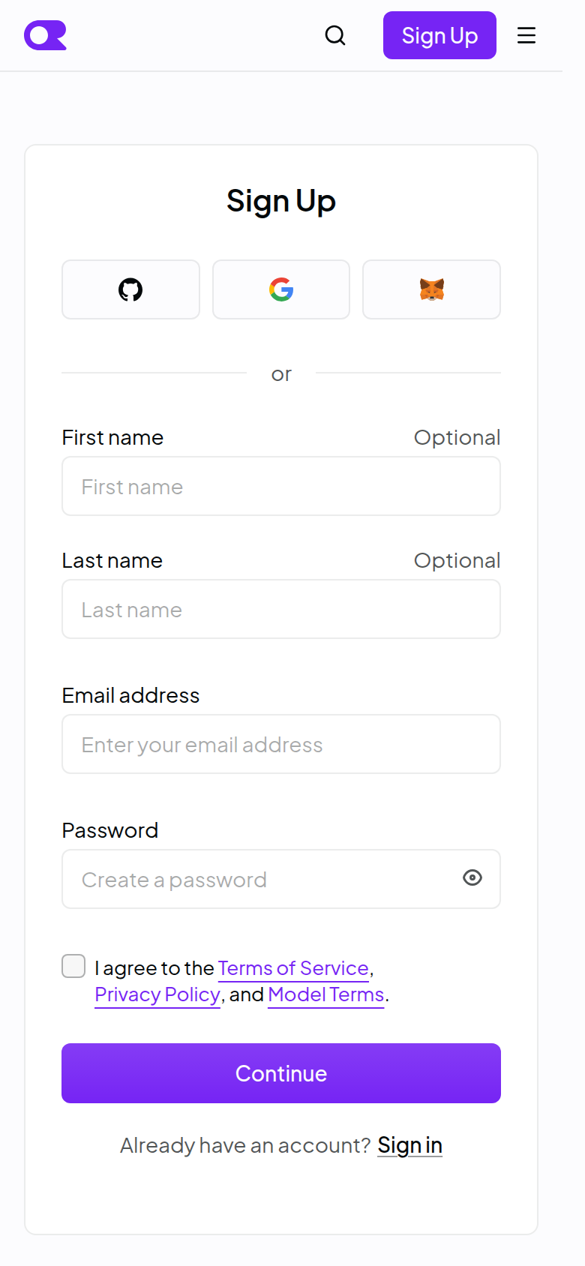
1. Make your OpenRouter account (on your phone or computer). Go to openrouter.ai and press Sign Up. Use Google, GitHub, MetaMask or your email.
2. Add credit. In OpenRouter, open Settings › Credits (openrouter.ai/settings/credits) and press Add Credits. $5 is plenty to start. Pay by card (or AliPay, or crypto). Leave Auto Top-Up off unless you want it.
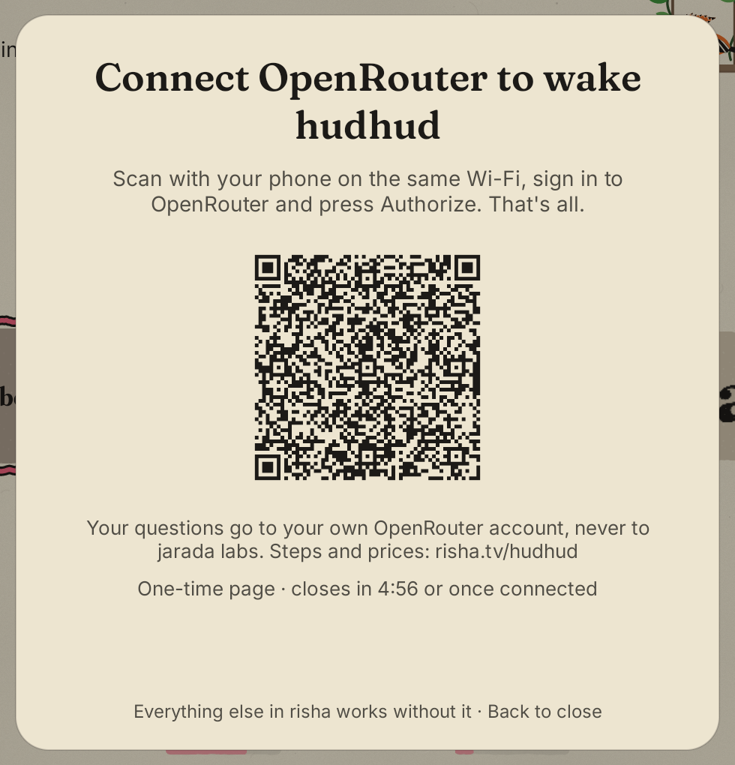
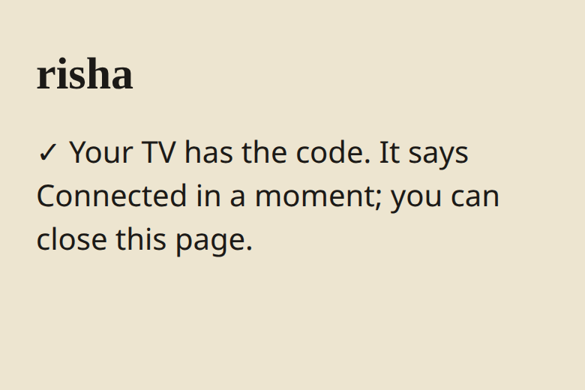
3. Connect on the TV. Open gear › hudhud › hudhud's AI › Use your own AI › OpenRouter. The TV shows a code. Scan it with your phone, on the same Wi-Fi as the TV. OpenRouter opens: sign in if it asks, then press Authorize. Your phone hands the code to the TV and says Your TV has the code; the TV says Connected ✓ a moment later. That's all: you never copy a key.
Now ask: press OK on hudhud on his swing, or ask from your phone (gear › Ask hudhud). With the optional TV extras, the remote's mic button opens him: talk, then stop, and hudhud sends your question after about a second of quiet (or press the mic again to send at once).
Use your own AI: any OpenAI-compatible service, or a server in your home
hudhud can also use DeepSeek, SiliconFlow, OpenAI, Gemini, OpenRouter, or a server in your own home (Ollama, LM Studio). Your key stays on the TV. Questions go straight from the TV to the service, never through risha.
1. Get a key from the service's site (for a server in your home, you usually need none). Note the model's name too, for example deepseek-flash.
2. On the TV, open gear › hudhud › hudhud's AI › Use your own AI › Another service or your own server. Scan the code with your phone, on the same Wi-Fi as the TV.
3. On the phone, choose the service. For a server at home choose Another address and type it, for example http://192.168.1.20:11434/v1. Plain http only works for addresses in your home; anything else needs https. Then enter the model and paste the key.
4. Listening. To talk to hudhud, the AI must understand speech. Choose one:
- The same model: if it takes audio (Gemini and some OpenRouter models do; DeepSeek and SiliconFlow's text models don't).
- Another service for listening.
- risha's included listening: if your licence has it.
- No listening: you type questions on the phone page instead.
5. Send to the TV. The TV asks a few test questions: the answer format, an Arabic question, a dated question and a short recording. It then tells you plainly what works and what doesn't, with the model's name. Nothing is blocked if a line fails.
If something goes wrong:
- "didn't accept the key": copy the key again.
- "no credit left": add credit on the service's site.
- "doesn't have a model called …": check the model's exact name.
- "Can't reach …": check the address, and that the server is on.
To change or stop: gear › hudhud › hudhud's AI.
Your control
- On the TV: gear › hudhud shows which AI answers, This month's spending, the per-question cap, the answer model (cheaper ones listed with their prices), spoilers and family-friendly answers, and Remove key (hudhud goes back to risha's AI while it's included, or sleeps).
- At OpenRouter: Settings › Keys lists risha TV: set a spending limit on it, or delete it.
- Privacy at OpenRouter: OpenRouter doesn't store your prompts unless you opt in to logging. In Settings › Privacy you choose whether models that may train on data can be used.
After the first year
risha's AI continues for $2 a month (or $20 a year) through Polar, on the same licence. Cancel any time.
About two weeks before your year ends, risha shows one calm screen with two choices, each with its code: Continue for $2 a month and Or use your own AI: OpenRouter (any other AI account is set in gear › hudhud › hudhud's AI), and Not now. (Polar's checkout on your phone also offers $20 a year.) It doesn't ask again.
If you do nothing, hudhud's open questions pause when the year ends. Everything else keeps working, with no nagging: hudhud's built-in answers (the weather, prayer times, the date and Hijri date, the word of the day, what's playing, opening apps, playing and resuming, next episode, the sleep timer, Rest, freeing memory (on Android 14, with the optional TV extras)) and the rest of risha. You can continue, or connect your own AI account, whenever you like.
If something goes wrong
- The phone says "Nothing happening?" Your phone must be on the same Wi-Fi as the TV (not mobile data), and the code must still be on the TV (it stays 5 minutes). Scan it again.
- The TV says OpenRouter didn't accept the code. A code works once, for 10 minutes. Scan again.
- hudhud says "Your OpenRouter account is out of credit." Add credit at OpenRouter (Settings › Credits); hudhud answers again at once.
- hudhud says he's resting until next month. risha's AI has reached its fair use for this month. His built-in answers still work; he wakes when the month turns, or at once with your own AI account.
- Still stuck? gear › Support code, scan it, and email it to hello@risha.tv.